Organize Your Projects Like a Pro: Part One Creating a Procedures Binder for Individual Projects
By Julie Perrine, CAP®-OM, MBTI® Certified, Certified Productivity Pro® Consultant
Managing a project doesn’t have to be complicated. If you know the basics of organization, you can establish a system to help you organize all the moving parts down to the details. Here in part one, Julie Perrine, an administrative expert and procedures pro, will go through some key components to include in your overall project management system, and how to create an administrative procedures binder for your individual projects.
In part two, she’ll discuss how to set up a system for bigger projects that may be shared with a team.
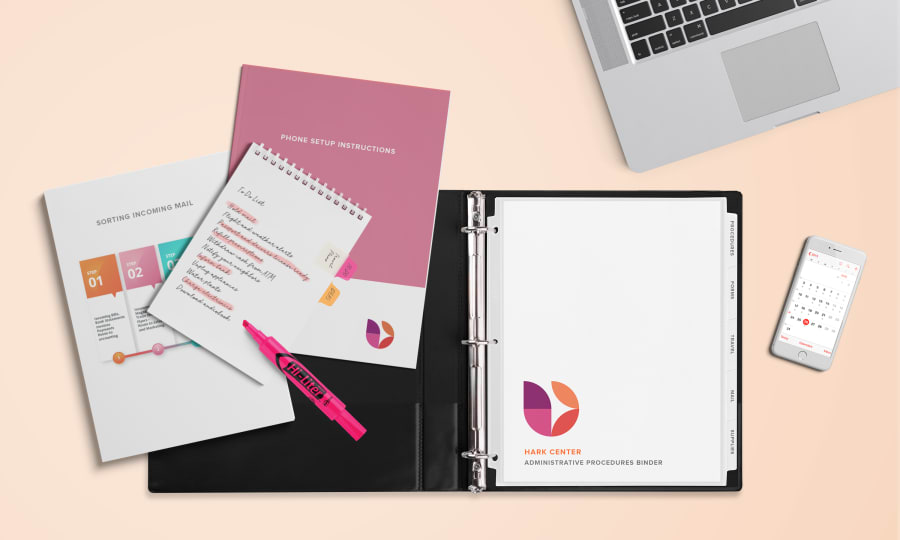
For administrative assistants, project management is a big part of the job description. And in order to be successful, you need to establish good systems for organization – whether you’re supporting the project or taking the lead.
There are several components you may want to include in your overall project management system, such as:
- Project management software
- Calendar tools
- Spreadsheets
- Documents (e.g. forms, templates, and checklists)
- Binders and tabbed dividers
You don’t need to get too elaborate with your project management materials either. In fact, you probably already have everything you need within an arm’s reach!
Individual Projects: Creating Your Administrative Procedures Binder
A procedures binder showcases your value to your executive and company, makes it easier for others to fill in for you when necessary, and allows you to delegate tasks when your own plate is full.
For this project, you need a sturdy three-ring binder (Avery Heavy Duty View or Ultralast® Binders work perfectly), tabbed dividers, sheet protectors, a list of office duties, and a good procedures documentation template. With these supplies, creating your administrative procedures is a simple project that you can organize and easily maintain.
When choosing dividers for organizing your binder, here are a few things to consider:
- If you’re looking for a way to easily add a cover page to each section of your binder, the Avery Print & Apply Pocket Dividers with Index Maker® Easy Apply™ Clear Labels work well. You can insert a cover sheet with important details or a list of section contents into the clear pocket and include the section name on each divider tab.
- If you want the ability to quickly add sections and reorganize your binder without having to reprint your tab labels each time, the Avery Customizable Table of Contents Dividers with Ready Index® Section Titles Pages and Sub-Dividers are an excellent option. They come in a variety of numbers, letters, and colors.
© 2017 Julie Perrine International, LLC
Looking for tips to organize a bigger project? Julie shares her insight on how to create a procedures binder for team projects here.
Click here for more information on office professional solutions from Avery
About the Author
Julie Perrine is an administrative expert and all-around procedures pro. She is the founder and CEO of All Things Admin, a company dedicated to developing and providing innovative products, training, mentoring and resources for administrative professionals worldwide. Julie shares her proactive strategies for developing a plan, creating forward motion and achieving great results with an upbeat, step-by-step approach. She is the author of several books, including The Innovative Admin: Unleash the Power of Innovation in Your Administrative Career, The Organized Admin: Leverage Your Unique Organizing Style to Create Systems, Reduce Overwhelm, and Increase Productivity, and Become a Procedures Pro: The Admin’s Guide to Developing Effective Office Systems and Procedures. She offers free templates at https://www.AllThingsAdmin.com/.